


⏰Last day Promotion 🔥Portable 5G WiFi Router – High-Speed Mobile Wireless Internet Hotspot
⏰Last day Promotion 🔥Portable 5G WiFi Router – High-Speed Mobile Wireless Internet Hotspot


BUNDLE & SAVE
In stock
Couldn't load pickup availability

⏰Last day Promotion 🔥Portable 5G WiFi Router – High-Speed Mobile Wireless Internet Hotspot
Discover Lightning-Fast Internet Anywhere with the 5G Portable WiFi Router
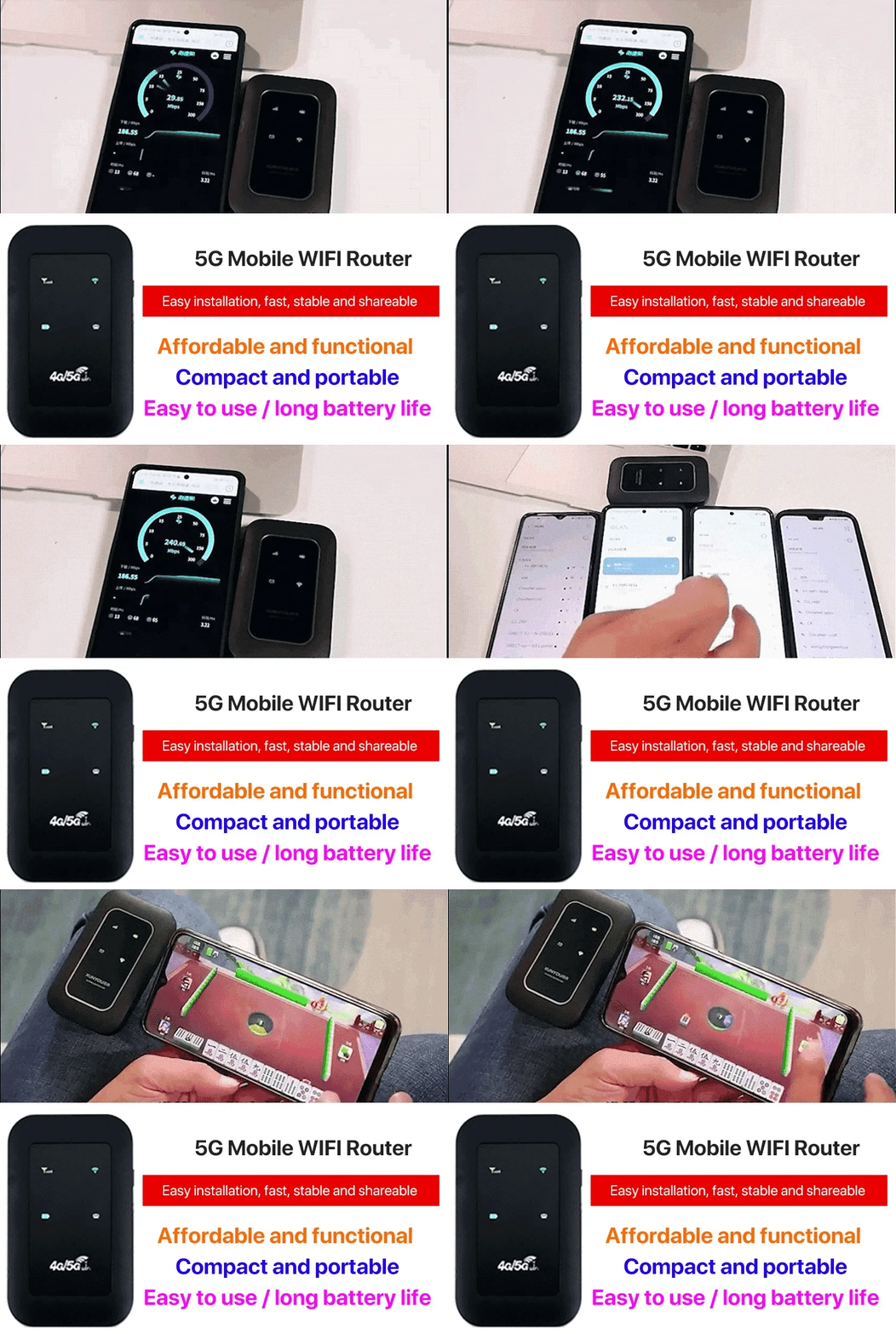
Wave goodbye to slow connections and embrace ultra-fast, dependable internet no matter your location. The Portable 5G High-Speed WiFi Router provides remarkable performance with state-of-the-art 5G technology, ensuring uninterrupted connectivity whether you’re working from home, streaming while traveling, or exploring the globe.

✔ Super-Fast Speeds
Experience download speeds reaching up to 100Mbps and upload speeds of up to 50Mbps — ideal for streaming, gaming, video conferencing, and quick file transfers.
✔ Worldwide Connectivity
Completely unlocked and works with any SIM cards and leading carriers globally. Perfect for international trips or switching between different networks.
✔ Extended Battery Life
Fitted with a robust 2400mAh lithium battery, offering 30 hours of standby time and 4 to 6 hours of continuous use — designed for travelers, campers, and outdoor workers.
✔ Dependable Signal, Even in Isolated Areas
Unlike many portable routers, this unit ensures a steady connection even in remote or off-grid locations.
✔ Multi-Device Capability
Connect up to 5 devices at once, from smartphones to tablets and laptops. Easily share your connection with friends, family, or coworkers.
With its sleek and compact design fitting comfortably in your pocket, this router transforms mobility. Whether for work, vacations, or day-to-day convenience, maintain high-speed, secure connections wherever you are.

Technical Details:
Download Speed: Up to 150Mbps
Upload Speed: Up to 100Mbps
Wireless Support: 802.11 b/g/n
Battery Capacity: 2100 mAh
Standby Time: 30+ hours
Usage Time: 4–6 hours
Dimensions: 93 x 59 x 14 mm
Unlocked: Yes, compatible with all SIM cards


Frequently Asked Questions (FAQ)
1. Does this 5G WiFi router require a SIM card to work?
1. Does this 5G WiFi router require a SIM card to work?
Yes, this device requires a 5G-enabled SIM card (or eSIM) to access the internet. It connects through a mobile data network and shares the connection with your devices.
2. What network types does it support? Can I use it without 5G coverage?
2. What network types does it support? Can I use it without 5G coverage?
The router is primarily designed for 5G networks. If 5G is unavailable or weak in your area, it can automatically switch to 4G/LTE, though speeds and performance may be reduced.
3. How many devices can connect at the same time?
3. How many devices can connect at the same time?
The number of connected devices depends on the router’s performance and network conditions. Typically, multiple devices can connect simultaneously, but speeds may decrease as more devices share the connection.
4. Is this router suitable for travel or remote work?
4. Is this router suitable for travel or remote work?
Absolutely! This portable 5G WiFi router is ideal for travel, business trips, remote work, and outdoor use, providing high-speed internet without the need for fixed broadband.
5. Can I use it as a home internet or backup connection?
5. Can I use it as a home internet or backup connection?
Yes, it can be used as a temporary or backup internet solution if your home broadband is unavailable. For long-term use, it’s recommended to check your data plan to avoid extra charges.
6. Why is my internet speed sometimes slower than expected?
6. Why is my internet speed sometimes slower than expected?
Network speed can be affected by several factors, including signal strength, network congestion, 5G coverage, and environmental interference. Performance may decrease in areas with weak signal.